AI Attendance Assistant: Ask a Question, Get the Answer From Your Reports
The same scene plays out at the end of every month: the HR manager needs to know who was late more than once, how many overtime hours each site logged, and who was absent without leave. The answers are in the reports, but getting to them means opening the report, choosing the period, filtering, and exporting to Excel to do the sums.
In TimeMobi you can now just type the question — "Who was late more than 3 times this month?" — and get the answer in seconds, with numbers that match your reports exactly. That is the AI assistant.
What is the TimeMobi AI assistant?
The AI assistant is a chat window inside the TimeMobi dashboard, in the sidebar of the company admin account. Ask it about attendance, lateness, absence, overtime and leave for any period, and it answers in the language you asked in: English, Arabic or Turkish. It can:
- Answer day-to-day questions: Who was late this week? Who was absent yesterday?
- Sum up the month: an overtime summary, the most frequent late-comers, absent days per employee.
- Compare sites: overtime hours at each site, and which branch had the most late arrivals.
- Prepare a PDF report: name the report and the period, and a download button appears.
A real example: three questions in a minute
The screenshot below comes from a demo company on TimeMobi with five sites in Riyadh, Jeddah, Dammam, Makkah and Yanbu. We asked the assistant three questions about August:
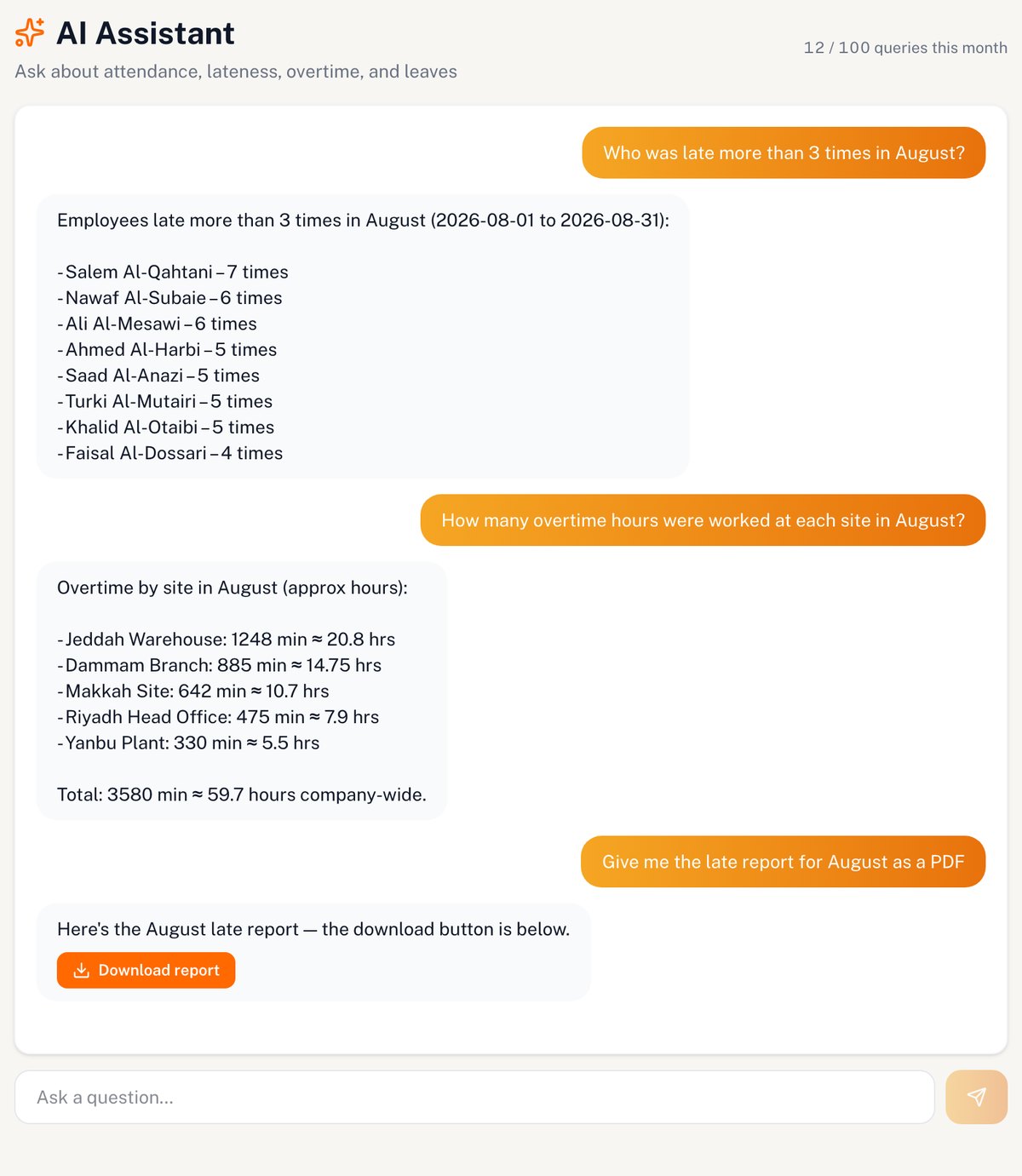
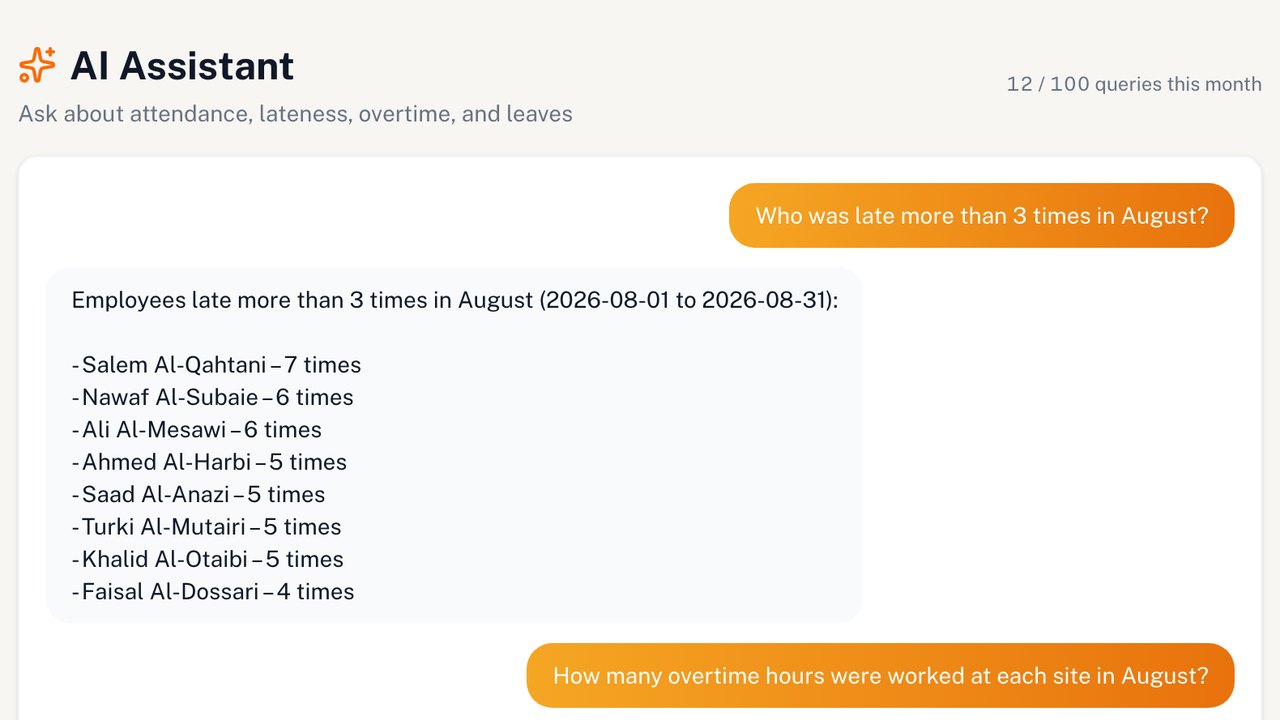
- "Who was late more than 3 times in August?" — a list of eight employees and how many times each one was late.
- "How many overtime hours were worked at each site in August?" — overtime split across the five sites, with a total of 3,580 minutes (about 59.7 hours).
- "Give me the late report for August as a PDF" — a "Download report" button prepares the late report for the same period.
The same numbers as your reports, no guessing
What worries managers most about AI is that it will make up a number. So the TimeMobi assistant is built on one rule: the assistant never calculates numbers itself. Every number in its answer comes from the same reporting engine that powers your Late Time, Overtime and Absent tabs. The assistant's job is to pick the right report for your question and explain the result in plain words.
We checked the answers above against the Reports tabs for the same period: the eight employees and their late counts match the Late Time tab, and the overtime total (59 hours 40 minutes) and its cost (SAR 2,139.34) match the Overtime tab.
The assistant is also read-only: it does not edit attendance records, approve overtime or change any setting, and it only sees your company's data.
A PDF report in one request
Type "Give me last week's absence report" or "the September overtime report as a PDF", and the assistant prepares that report for the period and shows a download button. It is the usual TimeMobi report: your company logo and a clean table, ready to print or send to management.
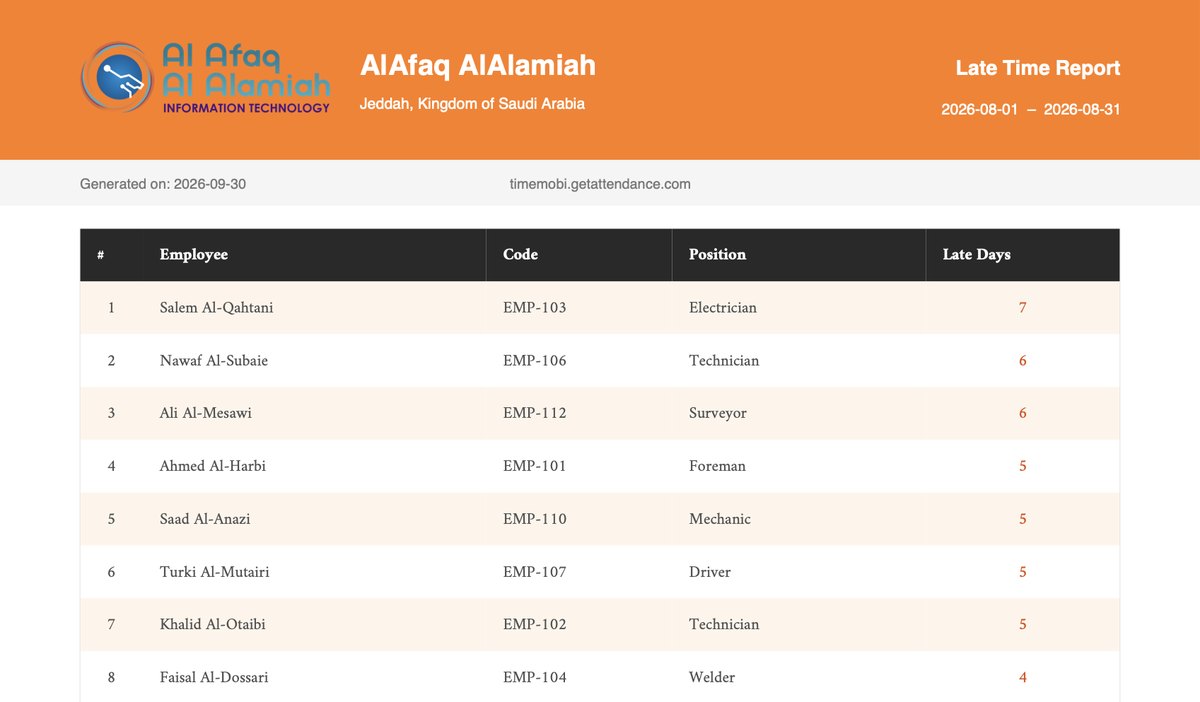
Reports available this way: Attendance, Late Time, On Time, Absent, Sheet Report, Overtime and Leave. The Overtime and Leave reports depend on the features in your plan.
How many questions do you get on each plan?
The AI assistant is included in the free trial and in every plan listed on the plans page, with a monthly allowance of questions:
| Plan | Questions per month |
|---|---|
| Free trial (14 days) | 10 |
| Starter | 20 |
| Growth | 20 |
| Business | 100 |
| Premium | 300 |
The allowance renews at the start of each month, and only questions that got an answer count against it.
Who is the AI assistant for?
- HR managers preparing payroll who need lateness, absence and overtime figures fast.
- Business owners who want a quick read on punctuality without learning the report screens.
- Multi-site contracting and logistics companies comparing sites and teams every week.
AI assistant FAQ
Does it need setup or training?
No. "AI Assistant" appears in the dashboard sidebar automatically on the plans that include it, with suggested questions you can click to get started.
Who can use it?
The assistant is currently available to the company admin account in the dashboard.
Does it understand Arabic?
Yes, and it answers in the language of the question: English, Arabic or Turkish.
What happens when the questions run out?
You can't send new questions until the next month starts, and all your reports stay available as usual. You can upgrade to a plan with a larger allowance at any time.
Is my company's data safe?
The assistant works with your own account's permissions inside the dashboard: it can only reach your company's data, and it can't change it.
Try the AI assistant free for 14 days
Sign up your company, add your employees, and ask your first question about their attendance. 10 free questions during the trial.
Start Free Trial →